Video to SCORM Converter

Convert standalone videos into SCORM-compliant packages with completion tracking, progress reporting, and LMS compatibility - without using expensive authoring tools.

1

Upload Video File

Start by uploading your video file to the conversion platform. You can either drag and drop your video file into the upload box or select the video from your computer. Supported video formats typically include MP4 and MOV.

2

Configure SCORM Settings

After uploading, configure two essential SCORM settings. First, define the completion time to track how long learners take to finish the video. Second, select the appropriate SCORM version (SCORM 1.2 or SCORM 2004) based on your LMS compatibility. These settings ensure that learner progress is properly tracked and reported.
80%
Scorm

Advantages of using Video in SCORM

Accurate Completion Tracking

Track when learners start, pause, resume, and complete videos inside your LMS.

Controlled Viewing Flow

Prevent skipping important sections and ensure learners watch the full video in the correct order.

Detailed Engagement Analytics

Get insights like watch time, progress %, completion status, and interactions.

Secure Video to SCORM Conversion

Automatic File Deletion

For enhanced security and privacy, we automatically delete both your uploaded video and the generated SCORM package from our servers after the conversion is complete and the SCORM file has been provided for download. This ensures that sensitive content is never stored on our servers.

Encrypted File Upload

We use state-of-the-art encryption for all file uploads to ensure that your video content is securely transmitted and protected from unauthorized access.

Compliance with Data Privacy Standards

Our video conversion process adheres to global data privacy regulations such as GDPR, ensuring that your data is handled with the utmost care and compliance.

Real-Time Monitoring

All conversions are monitored in real-time to prevent any unauthorized access or tampering, giving you peace of mind that your data is secure throughout the entire process.

Free Tool to Convert Video to SCORM

Video to SCORM Fast and Easy

Simply upload your video files to our platform and convert them into SCORM-compliant formats. No registration or complex setup required, just fast and straightforward conversion.

Secure Video to SCORM Conversion

Your video files are securely uploaded and processed with advanced SSL encryption. Once the conversion to SCORM format is completed, all files are automatically deleted, ensuring both privacy and security.

No Software Installation Required

Convert your videos to SCORM entirely in the cloud, without the need for any software installation. This keeps your computer's resources free and ensures smooth, hassle-free conversion.

Frequently Asked Questions

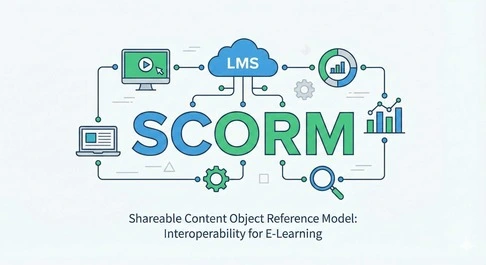
SCORM stands for Sharable Content Object Reference Model. It is a globally recognized standard for developing and delivering e-learning content. SCORM ensures that learning materials are interoperable across different Learning Management Systems (LMS), making it easier for organizations to share and reuse content. It also allows tracking of learner progress, scores, and interactions, helping trainers and administrators monitor learning effectively. In short, SCORM standardizes the communication between learning content and the LMS.
SCORM 1.2 is the older version and is widely supported by most LMS platforms. It offers basic tracking of learner progress, completion, and scores. SCORM 2004 introduces more advanced features, including detailed sequencing, navigation rules, and richer reporting capabilities. This allows instructional designers to create complex learning paths with prerequisites and branching scenarios. While SCORM 2004 is more powerful, it may not be fully supported by all LMSs, so compatibility should be checked before use.
A SCO, or Sharable Content Object, is the fundamental building block of SCORM content. It is a self-contained, reusable unit of learning that can be launched and tracked independently within an LMS. SCOs can include multimedia elements, quizzes, and interactive activities. By using SCOs, instructional designers can easily assemble courses, rearrange content, and reuse modules across different programs. They also allow detailed tracking of learner progress and performance for each individual unit.
A Learning Management System (LMS) is software used to host, deliver, and manage online learning content. It allows administrators to assign courses, track learner progress, assess performance, and generate reports. SCORM-compliant LMSs ensure that content created in SCORM format communicates seamlessly with the system, enabling accurate tracking and reporting. LMSs are widely used by organizations for employee training, schools for e-learning, and certification programs to streamline learning and assessment processes.
SCORM tracks learner progress by sending data from the content (SCO) to the LMS using standardized communication protocols. It can monitor completion status, time spent, quiz scores, and interactions with learning activities. This allows administrators and instructors to generate detailed reports on learner performance. By tracking these metrics, organizations can identify gaps in knowledge, evaluate training effectiveness, and personalize learning paths for better outcomes. Accurate tracking is one of SCORM’s core strengths.
SCORM is designed for web-based content, meaning learners access it through a browser connected to an LMS. Non-web-based content, such as offline documents or desktop applications, cannot be tracked unless integrated with an LMS that can synchronize data when the internet connection is restored. This limitation ensures that SCORM accurately monitors learner progress, interactions, and completion data. For fully offline scenarios, alternative tracking methods are required.
Interoperability in SCORM refers to the ability of content to work consistently across different SCORM-compliant LMS platforms. This means content created in one system can be used in another without modification. Interoperability ensures that organizations don’t have to rebuild courses for different LMSs, saving time and costs. It also guarantees a consistent learning experience for users regardless of the platform they use. This is a key reason why SCORM is widely adopted in e-learning.
Traditionally, creating SCORM content requires specialized authoring tools such as Articulate Storyline, Adobe Captivate, or iSpring Suite. These tools allow designers to create interactive, multimedia-rich courses that are automatically packaged in SCORM-compliant formats. Recently, some platforms allow video-based or simpler content to be converted into SCORM without expensive software. While not mandatory, using authoring tools ensures full SCORM compliance, proper tracking, and better interactivity for learners.
SCORM compliance means that your content adheres to the technical standards and guidelines defined by SCORM. Compliant content can communicate effectively with any SCORM-supported LMS, ensuring proper tracking of learner progress, scores, and completion status. Compliance also guarantees that content is interoperable, reusable, and accessible across different systems. This is essential for organizations that want to maintain consistency, efficiency, and accuracy in their e-learning programs.
Yes, SCORM content can be used on mobile devices if the LMS supports mobile compatibility. Modern LMS platforms are responsive, allowing learners to access courses on smartphones and tablets. SCORM ensures that progress tracking, completion status, and assessments function correctly on mobile. However, some older LMSs or poorly designed courses may have limitations on small screens, so testing on mobile devices is recommended before deployment.
No, SCORM content cannot be fully tracked offline. SCORM relies on an active connection between the course and the LMS to record learner interactions, completion status, and scores. While some LMSs offer limited offline modes that sync data when reconnected, traditional SCORM tracking requires online access. This ensures accurate reporting and prevents data loss, which is critical for compliance, certification, or corporate training programs.